The editorial calendar: every account, one month view
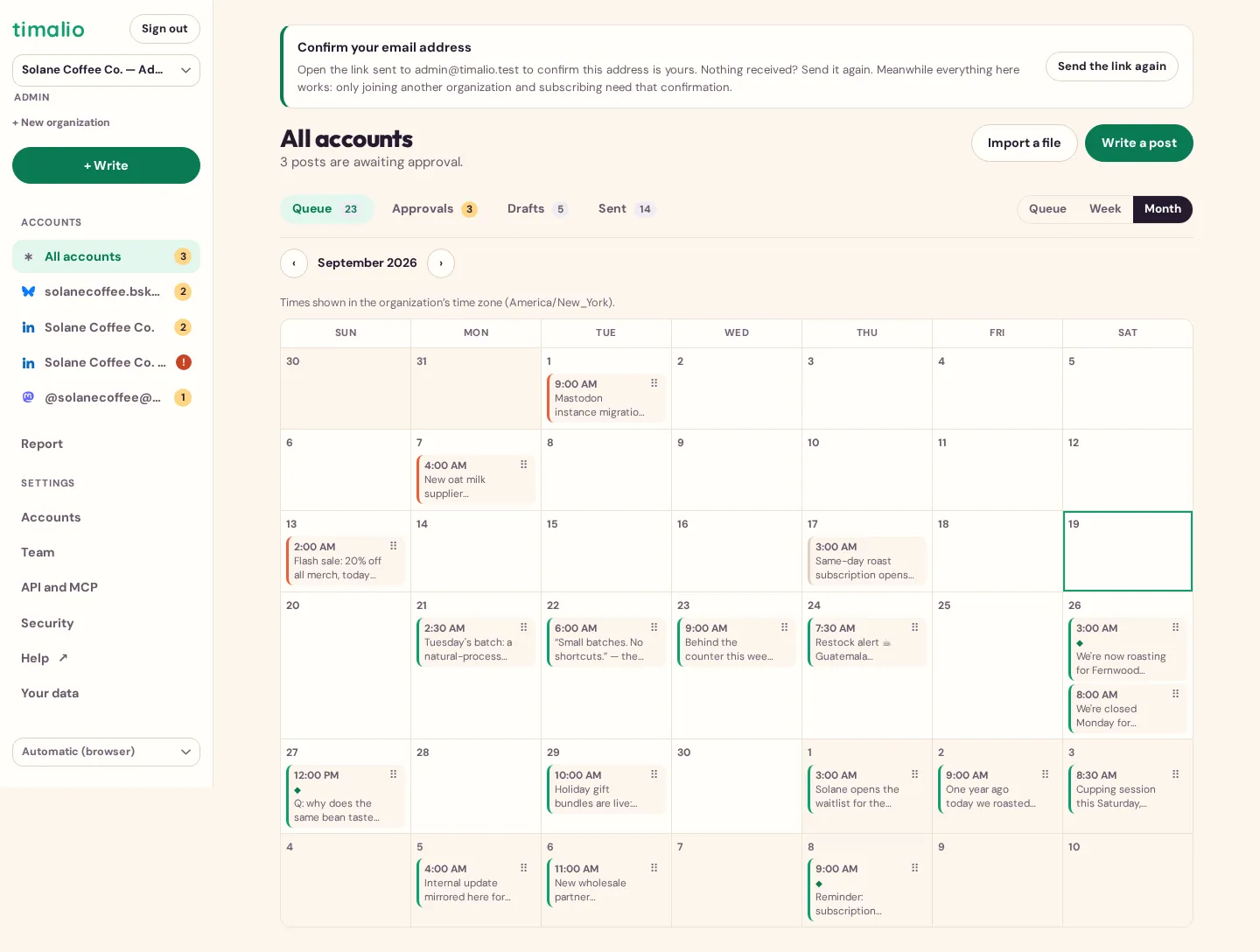
Timalio’s editorial calendar shows a month at a time, across every connected account, with drafts, posts awaiting approval and scheduled posts on the same view: and a menu to move a post to another day, time or account without deleting and rewriting it.
What the calendar shows
- A month view, navigable forward and back, with a shortcut back to today.
- Every connected account on the same calendar: no switching between per-network views to see the week as a whole.
- Posts at every stage: draft, submitted, approved, scheduled, published: visible at a glance, not hidden behind a filter.
Moving a post
A post can be moved to a different day, time slot or account from a menu on the post itself: without deleting it and starting over, and without losing its approval history.
Recurring time slots
Each connected account keeps its own recurring publishing slots, so a new post can be dropped into the next free one instead of picking a time by hand every time.