How Timalio’s approval workflow works
Every post in Timalio is born a draft. It has to be submitted, then a reviewer approves it or sends it back for changes: nothing publishes on its own, and as many reviewers as your team needs are included in the $1.99 per-account price.
The loop, step by step
- Draft. A post is written: by a person, an import, or an AI agent through the MCP server: and saved without going anywhere.
- Submit. Whoever wrote it asks for review.
- Approve, or request changes. A reviewer either clears it for its scheduled time, or sends it back with what needs fixing.
- Publish, at its scheduled time, once approved: never before.
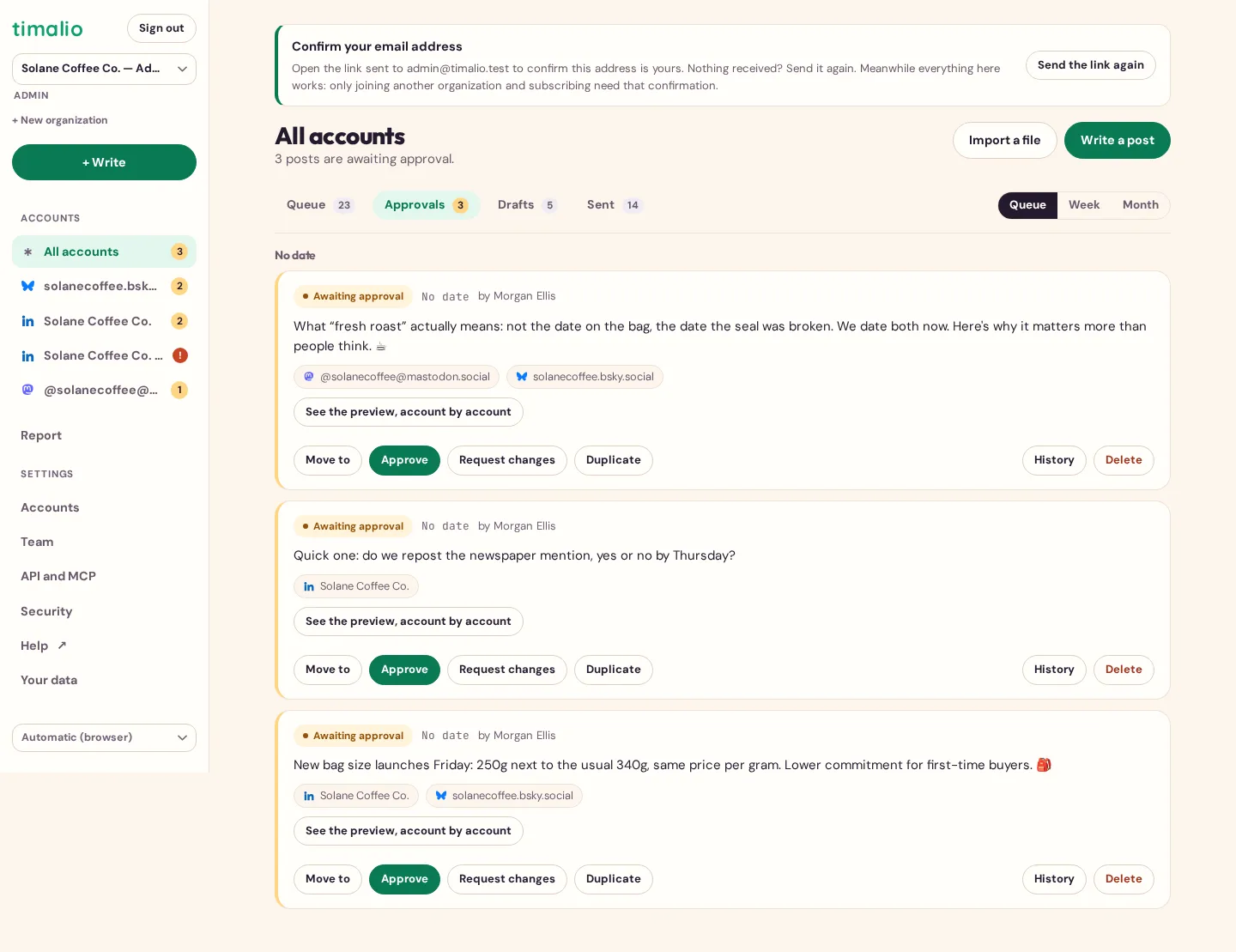
This is true even for a post created by an AI agent through the API or the MCP server: it is born a draft, and still needs a human approval, exactly like a post typed by hand.
Included, not sold as an add-on
Approval is part of the $1.99 per-account price, with no extra seat fee and no separate plan to unlock it. On Buffer it needs the Team plan ($12/channel); on Hootsuite, the Advanced plan ($399/month). See Timalio vs Buffer and the Hootsuite comparison for the sourced numbers.
Frequently asked questions
Does a post created by an AI publish automatically?
No. A post created through the API or the MCP server is born a draft and follows the same approval loop as any other: it still needs a human to submit and approve it.
How many reviewers can I have?
As many as you want. Users are unlimited, at every account count.